Feature Tiers
QExE is organized into three functional tiers — Application, Presentation, and Data — each reflecting a distinct layer of the tool's architecture.
Application Tier
The Application Tier covers the experiment logic: how test items are constructed, which evaluation instruments are available, and what types of audiovisual stimuli can be employed.
- Automatic calculation of test items based on the stimuli, method, and conditions specified in the configuration file
- Five quality evaluation methods: MUSHRA, MS, ACR, EBA, and PC
- Two validated questionnaires: SSQ and NASA-TLX
- Random or fixed test item ordering
- Mono and multichannel audio files, supporting object-based and Ambisonic rendering pipelines
- 360° video or CGI visual content
- Support for VSTs capable of 3-DoF or 6-DoF spatial audio rendering
- Integration of custom evaluation methods and questionnaires
- User pose and interface interaction tracking by default, extensible to any custom data stream within Unity
Presentation Tier
The Presentation Tier covers the user interfaces, both in the MaxMSP Controller application and the in-headset VR interfaces used by participants.
- QExE Host (MaxMSP) providing an overview of test progression, real-time participant position monitoring, and a summary of active method and questionnaire modules
- Direct access to the loaded audio rendering VST and channel-object routing options from the host
- In-headset VR user interfaces for all methods and questionnaires, with a virtual laser pointer that can be toggled on or off
- Compatible with VR hardware using OpenXR or Oculus SDKs
- Custom Unity console messaging for streamlined debugging
- Custom Unity editor widgets for easier in-scene identification
- Configurable color schemes for VR user interfaces
- Extensible VR UI component library for building custom interfaces
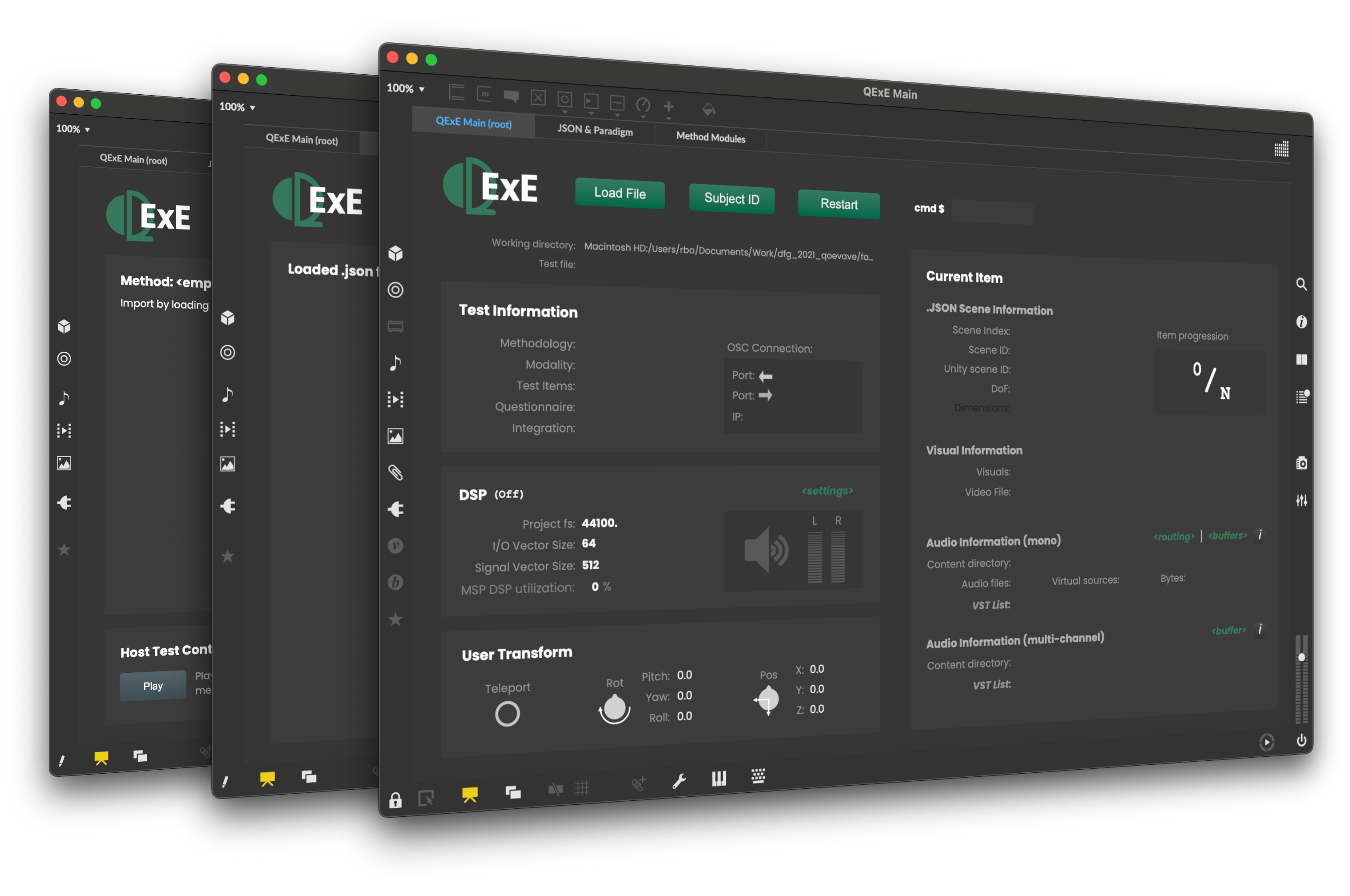
The Main page of the MaxMSP Controller. Displays an overview of the test along with various information for audio rendering, incomming user transform data, and the current test item.
Data Tier
The Data Tier covers how experiment configuration, inter-process communication, and output data are managed.
- Test setup is managed entirely through a single
.jsonconfiguration file - Host–client communication via UDP using the
OSCmessaging protocol - Method and questionnaire results saved as structured
.jsonfiles - Real-time behavioral and object data logged to
.txtfiles; any data routed to the UDP port is captured automatically - Results saved to subject-specific subdirectories, automatically labeled with subject ID, date, and time
- Sample R scripts provided for analysis of QExE output data